Last updated: November 19, 2026
Quick Answer: a Bitcoin transaction ID is a single lookup string, usually 64 hexadecimal characters, that lets you find one payment on the blockchain. In How to Read a Bitcoin Transaction ID, you use that ID to open the record, then check the inputs, outputs, status, fee, and confirmations. The transaction ID is not the payment itself; it is the record key that points to inputs, outputs, status, and confirmations. The steps below show how to read those fields without guessing.
Key Takeaways
- A transaction ID, or txid, is the lookup label for one Bitcoin transaction.
- A block explorer turns that label into a readable record.
- Inputs show where coins came from; outputs show where they went.
- Status tells you whether the transaction is unconfirmed, pending, or confirmed.
- Confirmations show how many blocks have been added after the transaction entered the chain.
- This is information, not financial advice; for your own situation, a qualified adviser may be appropriate.
What a Bitcoin transaction ID tells you
A Bitcoin transaction ID tells you which transaction to inspect, not what to do with your money. If you have the txid or transaction hash, you can open it in a block explorer and see the rest of the record. That record usually shows the date, the sending address, the receiving address, the amount, the fee, and the confirmation count.
For context, Bitcoin blocks average about 10 minutes, so confirmation counts can change quickly or slowly depending on network activity. That timing is why a fresh explorer check matters more than a stale wallet label. The txid is the pointer, and the block explorer is the screen that translates it into plain fields.
A few terms matter right away:
- Transaction hash / txid: the unique ID for the transaction record.
- Inputs: the coins or unspent outputs being spent.
- Outputs: the destinations in that transaction.
- Block explorer: a website or tool that reads blockchain data.
- Confirmations: how many blocks have been added after the transaction was included.
The catch is that different explorers label the same field differently. One may say “Status,” another “Confirmed,” and a third may show a confirmation count first. A good Bitcoin transaction ID read depends on the data, not the layout, so compare the same fields even when the page looks different.
If you use the hub on crypto exchanges and wallet operations, this page is the field guide for the transaction record itself. For a broader refresher, see our crypto exchange guide and wallet security guide.
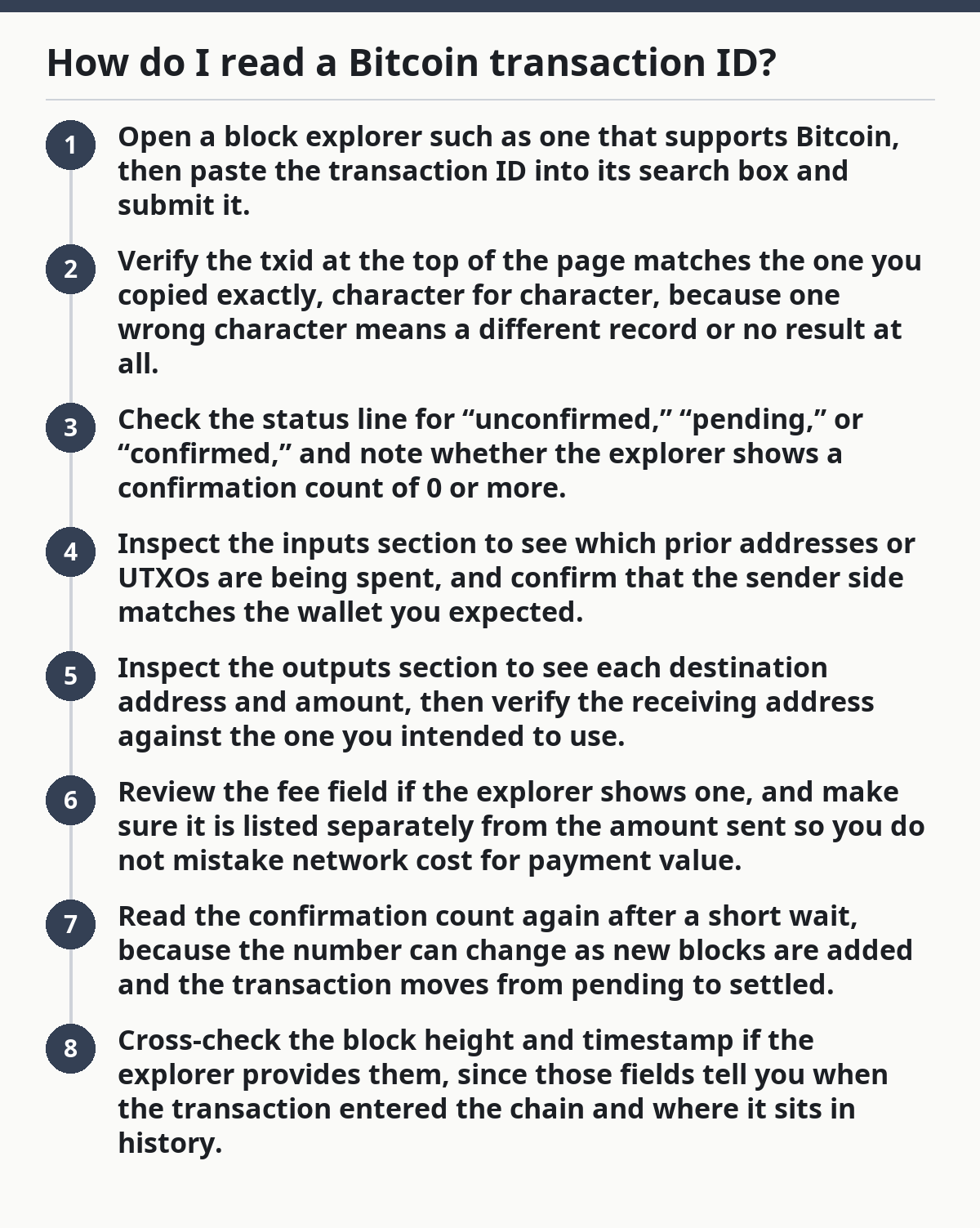
How do I read a Bitcoin transaction ID?
You read a Bitcoin transaction ID by pasting it into a block explorer and checking five things in order: the status, the inputs, the outputs, the amount, and the confirmations. The ID alone is just a label; the explorer shows what the transaction actually did. If you are new to it, the blockchain basics guide can help with the vocabulary.
To make the record easier to scan, start with the status, then verify who paid, who received, and whether the transaction is buried in blocks yet. That order works because the top of the page usually tells you whether the transaction is visible at all.
- Open a block explorer such as one that supports Bitcoin, then paste the transaction ID into its search box and submit it.
- Verify the txid at the top of the page matches the one you copied exactly, character for character, because one wrong character means a different record or no result at all.
- Check the status line for “unconfirmed,” “pending,” or “confirmed,” and note whether the explorer shows a confirmation count of 0 or more.
- Inspect the inputs section to see which prior addresses or UTXOs are being spent, and confirm that the sender side matches the wallet you expected.
- Inspect the outputs section to see each destination address and amount, then verify the receiving address against the one you intended to use.
- Review the fee field if the explorer shows one, and make sure it is listed separately from the amount sent so you do not mistake network cost for payment value.
- Read the confirmation count again after a short wait, because the number can change as new blocks are added and the transaction moves from pending to settled.
- Cross-check the block height and timestamp if the explorer provides them, since those fields tell you when the transaction entered the chain and where it sits in history.
A good result looks boring: the txid resolves, the address on the output is the one you expected, and the confirmation count is moving upward. A bad result is equally plain: no match, a wrong output address, or a status that still says unconfirmed after enough time that you expected to see movement. If you want a second opinion, a Bitcoin block explorer comparison can help you cross-check the same record.
What fields matter most on a block explorer?
The most useful fields are the transaction hash, the inputs, the outputs, the status, the confirmations, and the block time. That set is enough to tell whether the transaction exists, where the bitcoin came from, where it went, and whether the network has accepted it.
When you first open the page, focus on the lines that actually answer those questions. The top line identifies the record, the middle shows the flow of coins, and the bottom shows how the network has treated it. If any label feels unclear, consult a professional or the explorer’s help pages before you draw a conclusion.
Here is how to read the common fields:
- Transaction hash / txid: the lookup key for the record.
- Block height: the block number that included the transaction, if it is confirmed.
- Timestamp: the time the transaction was recorded in a block, which may differ from the time your wallet first created it.
- Inputs: the source UTXOs, which are previous unspent outputs now being spent.
- Outputs: the new destinations created by the transaction.
- Amount: the bitcoin moved to each output.
- Fee: the difference between inputs and outputs, shown separately on many explorers.
- Status: whether the transaction is unconfirmed, pending, or confirmed.
- Confirmations: how many blocks have been added after inclusion.
UTXO means “unspent transaction output.” That matters because Bitcoin does not move balances the way a bank ledger does; it spends chunks of prior outputs and creates new ones. If the inputs do not match the wallet or address you expected, stop and compare them against the sending wallet history.
Some explorers simplify the view and hide the UTXO language. That does not change the underlying structure. The transaction still has inputs and outputs; the site is just making the page easier to scan. For a deeper technical reference, see the Bitcoin developer documentation and Blockstream Explorer.
What does confirmed, pending, or unconfirmed really mean?
A confirmation status tells you where the transaction stands in the blockchain, and it is the first field I would read. Unconfirmed usually means the transaction is broadcast but not yet included in a block. Confirmed means it made it into at least one block, and each later block adds another confirmation.
Because the status can change, it helps to read the number beside the label, not just the word itself. On Bitcoin, 1 confirmation means the transaction entered one block, and 6 confirmations are often used as a stronger settlement benchmark in many services. That still does not make every app or exchange behave the same way.
The usual pattern is simple:
- 0 confirmations: the transaction is visible but not yet locked into a block.
- 1 confirmation: it has entered the blockchain once.
- More confirmations: more blocks have been added after it.
Different wallets and services may wait for different confirmation counts before they treat a transaction as final for their own internal rules. If the wallet you use shows a different label than the explorer, check the service’s own policy or support pages so you know which threshold it uses.
The truth is, status is the field most people misunderstand. “Pending” does not always mean broken, and “confirmed” does not always mean every service has finished its own processing. The blockchain and the app are related, not identical.
The mistakes people make when reading a txid
The most common mistakes are small, but they can send you in the wrong direction fast. A transaction ID is easy to misread, and an explorer page is easy to skim too quickly.
That is why the first check should be the txid itself. If the ID is wrong, every other field becomes irrelevant. One wrong character, one wrong network, or one wrong field can make a good record look bad.
Common errors and what they cost:
- Mixing up txid and address: a txid identifies one transaction, while an address is where value can be sent; the wrong one leads you to the wrong page.
- Using the wrong network view: some explorers show multiple chains or token systems; a Bitcoin txid belongs on a Bitcoin explorer, not a different chain.
- Reading the amount as the fee: the fee is separate from the output amount, so confusing them makes the transaction look larger or smaller than it is.
- Ignoring inputs: if you skip the inputs, you can miss that the transaction spent coins from a different source than you expected.
- Trusting status without checking confirmations: a wallet label can lag behind the chain, so the explorer is the better source for the current record.
- Assuming one explorer is the only truth: if a page looks odd, a second Bitcoin explorer can confirm whether the txid resolves the same way.
A better alternative is to check the same txid in a second explorer before you decide anything is wrong. If both pages show the same inputs, outputs, and status, the record is probably clear. If they do not, the problem is usually the txid, the network, or the way the wallet displayed the record.
When should you stop and recheck the record?
You should stop and recheck when the txid does not match the network, the outputs do not match the intended address, or the explorer cannot find the record at all. Those are not cosmetic issues; they mean you may be looking at the wrong transaction or the wrong chain.
A quick recheck often saves time because Bitcoin records are exact. If a page looks confusing, start with the ID and the destination address, then work outward. Exact means exact.
The txid returns no result: the ID may be mistyped, truncated, or copied from the wrong place — paste it again from the source and compare every character.
The explorer shows a different chain or asset: you may be on a non-Bitcoin network view — switch to a Bitcoin block explorer before you read further.
The output address is unfamiliar: the coins may have been sent to a destination you did not intend — pause and verify the address against the original wallet or payment request.
The status stays unconfirmed longer than expected: the transaction may still be waiting for inclusion or may have been replaced or dropped by the network — check the current record in the explorer and the sending wallet’s transaction list.
The confirmation count is changing slowly: the transaction is progressing, but the chain is not moving at the pace you expected — read the current count rather than assuming failure.
The wallet and explorer disagree: one of them is showing cached or delayed data — use the block explorer as the live record and refresh the wallet after a short interval.
If the transaction touches a custodial exchange, the app may show internal status that is not the same as the blockchain status. That is normal on some platforms, but it can be confusing. Read the chain record first, then the platform record.
What if the transaction looks unusual?
An unusual transaction still follows the same structure, but some fields may be harder to read. Multi-input transactions, batching, change outputs, and delayed wallet labels can make the page look busier than a simple one-to-one payment.
Because of that, do not judge the record by appearance alone. A transaction with several inputs or outputs can still be perfectly normal. Bitcoin transactions often combine multiple UTXOs and return change to a new address controlled by the sender.
Use these edge-case rules:
- Multiple inputs: the transaction spent several UTXOs at once; read all inputs before you judge the source.
- Multiple outputs: one output may be the payment, another may be change, and both can appear in the same record.
- Change addresses: the sender may receive change at a new address, which is normal and can look unfamiliar.
- Batch payments: exchanges and services often send to many outputs in one transaction, so one txid can cover more than one recipient.
- Wallet lag: a wallet may update slower than the blockchain, so a fresh explorer check can be more accurate.
You do not need to guess the intention from the shape of the page alone. The outputs tell you which addresses received value, and the amounts tell you how the transaction split the coins.
If you are comparing a wallet view with a block explorer, the explorer usually gives the more complete record. The wallet is often a summary, not the raw ledger entry.
What a good read of a Bitcoin txid looks like
A good read is one where the txid resolves cleanly, the inputs and outputs make sense, and the confirmation count matches the record you need. You are not trying to prove a theory; you are checking the ledger field by field.
When the record is clear, the pieces line up quickly. The address matches, the amount matches, and the confirmation count fits the time shown. That is enough to move forward with confidence.
A solid read usually includes:
- the correct Bitcoin network
- the exact transaction hash
- matching inputs from the source wallet
- the intended outputs and destination address
- a clear status
- a confirmation count that makes sense for the time shown
- a timestamp or block height that fits the chain record
If you need a broader market context after that, our Bitcoin price guide can help with the next step. This is information, not financial advice, and a tax, legal, or account issue may need a qualified adviser who knows your situation.
Is a transaction ID the same as a hash?
Yes, in Bitcoin, people usually use transaction ID and transaction hash for the same lookup value. The txid is the identifier you paste into a block explorer. Then you can read the inputs, outputs, and confirmations from the record it returns.
Drafted with AI; not yet reviewed by a person.