Last updated: November 19, 2026
Quick answer: yes, in some cases—but only 3 recovery paths usually work: custodial account recovery, device backups, or exported keys/files. If you lost the seed phrase, sometimes yes — but only for custodial wallets, wallets with device backups, or wallets tied to an account. If you are asking, “Can you recover a wallet without a seed phrase?”, the sections below separate those cases from non-custodial wallets and show the fastest way to check which one you have.
Can you recover a wallet without a seed phrase?
Yes, but only if the wallet was built with another recovery path. If the wallet is non-custodial and the seed phrase is gone, recovery is usually not possible without a backup file, a private key, or a device backup.
That’s the part many guides skip. A wallet is not one thing. Some wallets are tied to an email and password, some are protected by a local file, and some are just a seed phrase plus the app. Those are very different recovery stories.
Key takeaways
- A seed phrase is one common recovery method, but not the only one.
- Custodial wallets can often be restored through an account login or support flow.
- Device backups and exported private keys can save a non-custodial wallet.
- If no backup exists, recovery is usually blocked by design, not by bad luck.
Picture this: you open the wallet app on a new phone and the seed phrase is nowhere to be found. You need to know, in under 5 minutes, whether the wallet can be recovered through the provider, the device, or a backup file. That choice decides everything.
Here’s the catch: the answer depends on the wallet type, not on the coin. Bitcoin, Ethereum, and other assets can all be unrecoverable if the access method is gone.
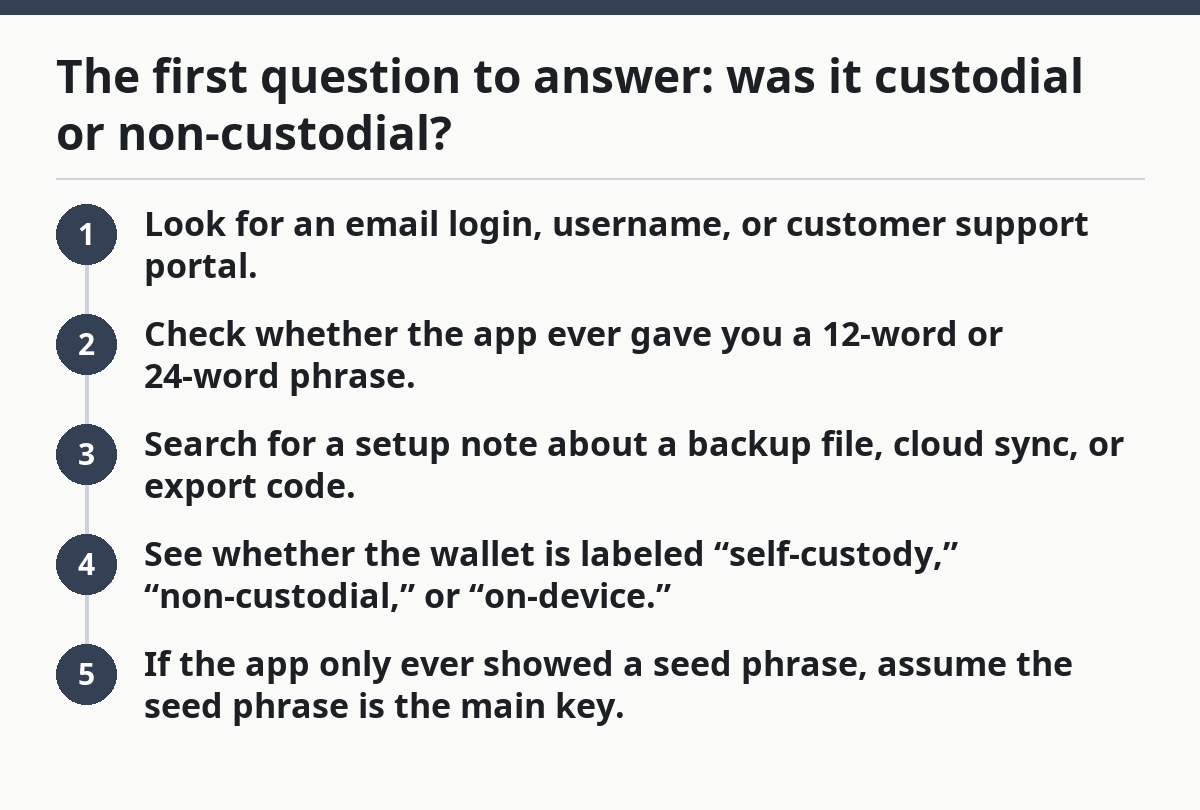
The first question to answer: was it custodial or non-custodial?
A custodial wallet can often be recovered without a seed phrase, while a non-custodial wallet usually cannot unless you have a backup or private key.
That distinction matters more than the brand name on the app. A custodial wallet is managed by a company that holds the keys or controls access through an account. A non-custodial wallet leaves the keys with you. One of those has a password-reset path. The other may not.
Use this quick check:
- Look for an email login, username, or customer support portal.
- Check whether the app ever gave you a 12-word or 24-word phrase.
- Search for a setup note about a backup file, cloud sync, or export code.
- See whether the wallet is labeled “self-custody,” “non-custodial,” or “on-device.”
- If the app only ever showed a seed phrase, assume the seed phrase is the main key.
If the wallet is custodial, recovery often starts with the same account tools you’d use for any online service. If it’s non-custodial, the app may never have stored a recoverable copy at all.
This is why “lost wallet access” is not one problem. It can be a login issue, a device issue, or a key-loss issue.
A mobile app can still be custodial. A browser extension can still be non-custodial. The recovery path follows the custody model, not the interface.
How to recover a custodial wallet without a seed phrase
You can usually recover a custodial wallet through the provider’s account tools, even if you never wrote down a seed phrase.
That’s because the company may control the keys or provide a managed account system. In that setup, the seed phrase may not even be the main access route. Password resets, email verification, 2-factor codes, and identity checks are common.
Use this process:
- Open the wallet provider’s official sign-in page, not a search result ad.
- Try the email, username, or phone number linked to the account.
- Use password reset if the account offers it.
- Check whether 2-factor authentication is blocking access because of a lost device.
- Contact support through the provider’s listed help channel and ask about account recovery.
- Be ready to verify ownership with prior email access, transaction history, or identity checks if the platform requires them.
Some custodial services use account recovery without any seed phrase at all. Others still give you a recovery phrase for backup. That can make the wallet feel non-custodial when it isn’t.
A major drawback is trust. If the provider freezes the account, changes its rules, or asks for identity checks you can’t pass, the recovery path can stop there. Another drawback is that support can help only if the company still controls the account and can match you to it.
Who Should Skip This: if the wallet was a self-custody app that never used email login, move to device backups or private keys instead.
Buy this if: you are locked out of a wallet that uses email login, password reset, or support tickets.
Skip this if: you only had a 12-word phrase and no account tied to the app.
A practical note: if the provider has a help center, read its recovery flow before you message support. A 10-minute check can save a day of back-and-forth.
What if the wallet was on your phone or laptop?
You may recover it from a device backup if the wallet data was copied with the rest of the phone or computer.
This is the second big path people miss. A wallet app may store data locally on an iPhone backup, Android backup, Mac backup, Windows profile, or browser profile. If that backup still exists, the wallet might come back when the device is restored.
Look for:
- iCloud backup or Google backup on a phone
- A computer backup made with Finder, iTunes, Time Machine, or another system tool
- A browser profile that still has the extension data
- A local app data folder or encrypted vault file
- A saved export from the wallet app
If you have a backup, restore it to the same type of device if possible. Some wallet apps are picky about operating systems and app versions. A backup from one platform may not restore cleanly to another.
The drawback is simple: many backups do not include everything needed to reopen the wallet. Some apps keep sensitive data out of the backup on purpose. Some encrypt the data so strongly that the old device passcode or app PIN is also required.
That’s why people say, “I backed up my phone, so I should be fine,” and still get stuck.
Now, you might be wondering whether a cloud backup is enough. Sometimes it is, but only if the wallet app stored its data in that backup and the backup is still intact. A file stored nowhere helpful is just noise.
Can a private key or backup file save the wallet?
Yes, a private key or exported backup file can restore access even when the seed phrase is gone.
This is the most technical path, but it matters. Some wallets let you export a private key, keystore file, JSON backup, or encrypted vault. That file can be imported into the same wallet app or a compatible one. In that case, the seed phrase is not the only recovery tool.
What to look for:
- A .json, .keystore, .wallet, or similar export file
- A printed or copied private key
- A QR code that contains wallet access data
- A password for an encrypted backup file
- Notes that mention “export,” “backup,” or “restore from file”
Private keys are sensitive. Anyone with the key can usually spend the funds tied to it. So the file itself matters as much as the password protecting it.
One problem is format mismatch. A private key for one chain or wallet type may not restore every asset in the same place. Another is damage or corruption — an incomplete file, a wrong password, or a changed wallet app can make the backup useless.
If you still have the private key, the recovery path is usually straightforward: import the key into the correct wallet app, then check that the address matches the old one before sending anything. If you have a backup file, make sure you use the exact password or passcode that was set when the file was created.
This is the route that surprises people most. The seed phrase feels like the only backup because it is the one the app shouted at setup time. But some wallets store a second escape hatch.
When recovery without a seed phrase is not possible
Recovery is usually not possible when the wallet was non-custodial and you have no seed phrase, no private key, no backup file, and no device backup.
That is the hard stop. It’s not a support problem in most cases. It’s a math and architecture problem. The wallet was designed so only the holder of the recovery data can open it.
A few common dead ends:
- You only remember the app name, not the login
- The wallet was deleted from the phone and never backed up
- The seed phrase was never written down
- The private key was never exported
- The provider does not hold your keys and cannot reset them
A lot of people search for shortcuts at this point. That’s where scams start. Anyone promising to “recover any wallet” without asking for the exact wallet type, backup method, and chain is a red flag.
The honest answer is blunt: if the wallet is truly non-custodial and the recovery data is gone, the coins may still be on-chain, but access to them is effectively gone too.
That sounds harsh, but it’s the reason seed phrases matter in the first place. The system is built to avoid a central rescue button.
The outcome is often binary: either one valid recovery path still exists, or it does not. Once those 3 paths are gone, the wallet is effectively locked.
How to check your recovery options without guessing
You can check your options in 10 to 15 minutes by matching the wallet to the recovery method it actually supports.
Use this order:
- Open the wallet app name and look for account login, seed phrase setup, or export options.
- Search your email for the wallet name and words like “welcome,” “backup,” or “restore.”
- Check phone backups, laptop backups, and browser profile backups.
- Look for any exported private key or backup file in downloads, notes, or password managers.
- If the wallet was custodial, start the provider’s account recovery flow.
- If the wallet was non-custodial and none of the above exists, consult the provider’s help docs or a qualified professional before treating it like a login problem.
This method saves time because it sorts the wallet into one of three buckets: account-based recovery, file-based recovery, or no recovery path.
Wallet ownership and seed phrases are described clearly by wallet education pages such as Coinbase’s wallet guidance, and private key handling is covered in basic crypto wallet documentation from major wallet providers. A second useful source is the support material from MetaMask, which explains how wallet backups and secret recovery phrases differ from account logins.
The real skill is not “trying everything.” It’s knowing which recovery path the wallet supports before you risk overwriting data or chasing a fake support number.
Can a wallet provider help if I lost my seed phrase?
Yes, but only if the provider controls the account or stored your wallet in a custodial system.
That’s the line that matters. If the wallet provider holds the keys or manages sign-in for you, support may be able to help with password resets, device changes, or account verification. If the wallet is self-custody, support usually cannot rebuild a lost seed phrase for you.
The provider can sometimes help with:
- A locked login
- A changed phone number or email
- A lost 2-factor device
- A damaged backup file
- A missing app installation on a new device
The provider usually cannot help with:
- Recreating a lost seed phrase for a non-custodial wallet
- Guessing a private key
- Reversing self-custody by fiat
- Opening a wallet with no linked account and no backup
A slow support reply is annoying. A useless support reply is worse. Still, support is worth trying if the wallet used an account login or held your keys for you.
If you’re unsure which case you’re in, look for signs of an email-based account, a password reset screen, or terms that mention custody. That tells you far more than the app icon does.
What can I use instead of a seed phrase?
You can use a private key, a backup file, a device backup, or an account recovery flow, depending on the wallet.
Those are the real substitutes, and they are not equal. A private key is the closest direct replacement for a seed phrase in a non-custodial wallet. A backup file is another form of wallet data that can restore access. A device backup may restore the app state if it was captured correctly. An account recovery flow works only for custodial wallets or account-based wallets.
Here’s the clean way to think about it:
- Seed phrase: human-readable backup for many self-custody wallets
- Private key: direct control over one wallet address or account
- Backup file: exported data that may need a password
- Device backup: full or partial copy of the old phone or computer
- Account login: provider-managed access for custodial wallets
If none of those exist, there is no substitute that magically recreates the wallet. That’s why the original backup matters so much.
Is recovery possible without a backup?
Usually no, unless the wallet provider can verify your account or the app data still exists on a device backup.
Without a backup, the options narrow fast. A non-custodial wallet with no seed phrase and no private key is usually gone from the user side. A custodial wallet may still be recoverable because the provider controls the account path.
That’s why the word “backup” matters so much in wallet setup. It is not a nice extra. It is the difference between a recoverable wallet and a locked one.
If you are setting up a wallet now, write down the seed phrase, save any exported key file safely, and check whether the app also offers a device backup.
Drafted with AI; not yet reviewed by a person.