Last updated: October 30, 2026
Quick answer: set up a crypto wallet safely in 5 steps — choose the right wallet type, download it from the official source, back up the seed phrase offline, lock down security settings, and send a small test transaction first. How to Set Up a Crypto Wallet Safely is about preventing the mistakes that happen before the first transfer, not after.
Key Takeaways
- The same setup flow works for app wallets like MetaMask and Trust Wallet, plus hardware devices like Ledger and Trezor.
- Use one clean device, one offline backup method, and enough time to finish in a single sitting.
- The order matters because skipped backups and wrong-chain transfers cause the biggest losses.
- Check the network, address, token, and backup before sending more than a test amount.
This guide is for a first-time user who wants to create a crypto wallet without exposing a seed phrase, mixing up networks, or losing access through a rushed setup. It assumes you already know that cryptocurrency exists and that you want to hold it yourself. If you are unsure whether you should use a custodial service, a non-custodial app, or a hardware device, this page explains the setup process and the trade-offs. It is information rather than financial advice; your own situation may call for a qualified adviser.
Who this is for, and who should choose a different setup
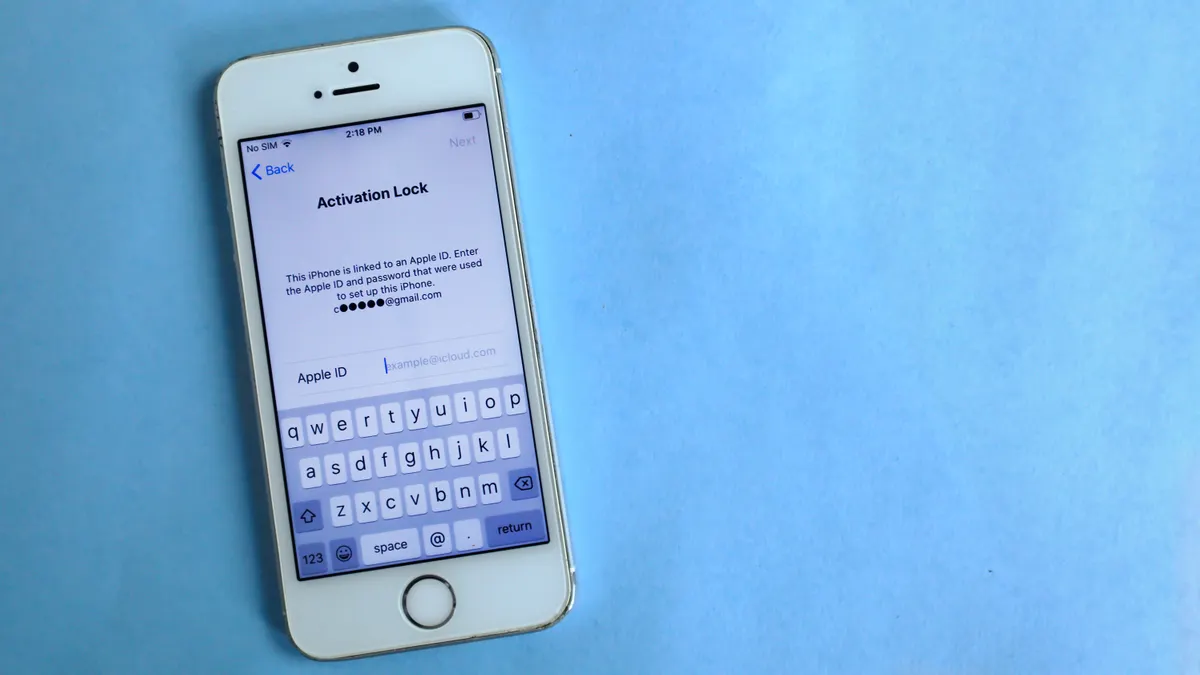
This applies to someone setting up a first wallet for personal use, usually on a phone or a laptop, with the goal of sending and receiving crypto directly. The same basic workflow covers app-based wallets such as MetaMask and Trust Wallet, and hardware devices such as Ledger and Trezor. The details differ, but the safety rules do not: verify the source, protect the seed phrase, and test before transferring larger amounts.
This is not the right starting point if you need shared access, company controls, or a custodian that handles recovery for you. A custodial wallet keeps the provider in control of the private key, which is the secret that signs transactions. A non-custodial wallet gives you that control instead, which also gives you the responsibility. That difference matters more than branding, interface, or whether the app is on iOS, Android, desktop, or a browser extension.
It also helps to know what not to do. Do not set up a wallet while distracted, while screen-sharing, or while responding to messages from “support” in a chat app. Do not use a public computer. Do not let anyone talk you into typing your seed phrase into a website “to verify” it. The phrase is not a password you reuse; it is the master backup of the wallet.
For background on the asset itself, the hub on what is cryptocurrency gives the wider context. This page stays focused on the setup workflow.
What you need before you start
You need one clean device, one secure place to store your recovery words, and enough time to finish the setup in one sitting. A rushed setup creates more risk than the wallet type you choose.
At minimum, prepare:
- A phone or computer with the operating system updated.
- A trusted internet connection.
- A pen and paper, or another offline backup method approved by the wallet vendor.
- Time to read each screen slowly, especially during the seed phrase step.
- If you plan to use a hardware wallet, the unopened device and its original packaging.
Before you install anything, open the official site or app store listing yourself by typing the address or searching the exact name. Avoid links in messages, ads, and random search results. Fake wallet apps exist. So do fake browser extensions with nearly identical names and icons. If a page asks for your recovery phrase before you have even created one, stop immediately.
Check the terminology too. Seed phrase usually means the 12, 18, or 24 words that can restore the wallet. Private key is the underlying secret for one account; in many wallets you never type it manually, but it still exists behind the scenes. A wallet app may be “hot” if it stays connected to the internet, or “cold” if it is isolated on a device designed to keep keys offline. Those terms are not marketing labels; they describe the risk profile.
How do you set up a crypto wallet safely?
You set up a crypto wallet safely by installing the legitimate software, creating a new wallet, backing up the seed phrase offline, hardening the settings, and confirming a small transfer works before you rely on it. The order matters because the biggest losses happen when people skip the backup or send funds to the wrong chain.
- Choose the wallet type first. Decide whether you need a custodial account, a non-custodial app, or a hardware device before you click “install.” Verify which category the provider uses in its help documentation. A problem shows up if you cannot tell who controls the private key; that means the setup choice is still unclear.
- Download only from the official source. Install the wallet from the provider’s official website, Apple App Store, Google Play, or a verified browser-extension listing. Verify the publisher name, the logo, and the URL character by character. A problem shows up if the page pushes a “download now” button that redirects through multiple domains or asks for permissions unrelated to wallet use.
- Create a new wallet, not an imported one. Open the app and choose the option to create a fresh wallet unless you are restoring one you already own. Verify that the app generates a new seed phrase during setup. A problem shows up if the app offers to “sync,” “connect,” or “import” before you have created a backup, because that usually means you are not at the creation step yet.
- Write down the seed phrase offline exactly as shown. Copy every word in order onto paper, or onto the hardware backup method the device specifies, without screenshots, cloud notes, or photos. Verify the spelling and order before you leave the page. A problem shows up if any word is unclear, because one wrong word can make recovery fail later.
- Store the backup in two physically separate places. Keep one copy where fire, water, and casual access are less likely; keep another in a different location if that fits your risk tolerance. Verify that both copies are readable and complete. A problem shows up if both copies are in the same desk, bag, or drawer, because one incident can destroy both at once.
- Set a strong app lock and device lock. Enable a PIN, passcode, fingerprint, or face unlock inside the wallet app, and use the strongest screen lock your device supports. Verify that the app asks for authentication before opening or sending. A problem shows up if the app stays unlocked indefinitely or lets a payment go through without a second check.
- Check security options before sending anything. Turn on transaction confirmations, address book features if available, and any warning flags for unknown sites or contract approvals. Verify that the wallet displays the destination address in full or in a form you can compare carefully. A problem shows up if the app hides all the details until the last tap, because that makes phishing and copy-paste errors easier to miss.
- Use a tiny test transaction. Send a small amount first, on the exact network the receiving address is meant for, then confirm that it arrives before moving more. Verify the network name, token type, and address on both sides before you press send. A problem shows up if the wallet auto-fills a network you did not intend, because the transfer may not appear where you expect it.
The test transaction is not busywork. It can be the cheapest way to catch a wrong network, an exchange withdrawal mistake, or a copied address error before the stakes rise. The right test is small enough that a failure is inconvenient, not devastating.
What should you check before sending real funds?
You should check the network, the address, the token, and the wallet backup before sending anything larger than a test amount. Those four checks catch most avoidable errors.
First, confirm the network. Some assets exist on more than one chain, and the same-looking address may not behave the same way across them. If a platform asks for Ethereum mainnet, Polygon, Arbitrum, Tron, or another network, match that choice exactly. A mismatch can mean the asset arrives in a place you cannot see in the app you opened first.
Second, compare the destination address on at least two screens if possible. A copied address should match character for character. If the wallet shows only the first and last few characters, use a trusted secondary display or another device to verify it. Never rely on memory. Clipboard malware and browser extensions can replace an address in seconds.
Third, confirm the token standard if the app exposes it. ERC-20, for example, is a token standard on Ethereum. Other chains use their own standards. The standard affects whether the receiving wallet can display the balance and whether the transfer is valid on that chain.
Fourth, re-check that the seed phrase is still offline and complete. If you needed to photograph it, store it in a cloud note, or message it to yourself, the setup is not safe enough. Move back to paper or another offline method.
The most common failure point is not the wallet app itself. It is the assumption that “the address looks right” is good enough. It is not. A 42-character address on Ethereum, a memo field on some networks, or a wrong chain selection can all turn a simple transfer into a recovery problem.
The mistakes people actually make, and what they cost
The cost of a setup mistake is usually loss of access, loss of funds, or both. A good setup avoids those errors before the first deposit.
Saving the seed phrase in a screenshot or cloud note: This exposes the backup to account compromise, device sync, or accidental sharing. The correct alternative is paper or another offline backup method that never touches a synced photo roll or note app.
Entering the seed phrase into a website to “verify” it: This is a classic theft trick. The consequence can be immediate loss of the wallet. The correct alternative is to enter recovery words only into the legitimate wallet app during restore, never into a form you reached from email, chat, or ads.
Ignoring the network label during a transfer: Sending on the wrong chain can leave funds invisible in the destination app or difficult to use. The correct alternative is to match the network on both ends and test with a small amount first.
Installing the first search result without checking the publisher: Fake apps and lookalike extensions can drain a wallet as soon as it is connected. The correct alternative is to verify the official domain, developer name, and extension ID where possible.
Keeping the recovery backup in one obvious place: A single drawer, desk, or unlocked phone case is fragile. The correct alternative is to separate copies and keep them private.
Treating a hardware device as a magic shield: Ledger and Trezor reduce certain online risks, but they do not protect a seed phrase you photograph, type into a scam site, or reveal to someone else. The correct alternative is to use the device as designed and keep the recovery words offline from day one.
When should you stop and get help instead?
You should stop if the setup process no longer matches the normal flow or if the wallet is asking you to do something that bypasses basic safety. At that point, the problem is not your caution; it is the setup itself.
The app asks for your seed phrase before you have created one: That is a major red flag — close it and reinstall only from the official source if needed. Legitimate wallets do not need your recovery words to begin a fresh setup.
You are not sure which network the recipient uses: A mismatch can send funds to the wrong chain or make them hard to access — pause until the receiving side names the exact network and token standard.
The wallet displays a different address after copy and paste: That suggests clipboard tampering or a copy error — stop using that device for the transaction until you can verify it is clean.
You cannot keep the seed phrase offline: That means the backup method is too weak for self-custody — choose a custodial arrangement or another setup that better fits your security limits.
You are setting up access for a business, family member, or shared account: One-person self-custody may not fit shared control — use a structure designed for multiple users and get qualified guidance before moving funds.
You need recovery certainty for a large balance: A single-person wallet can be the wrong tool when the downside of one mistake is unacceptable — ask for professional advice on custody, inheritance, or multi-signature arrangements.
For broader context on how digital assets work, the cryptocurrency hub is the right background page. It explains the category; this page is about the setup.
How long does setup take, and what does a good result look like?
A careful first setup usually takes 15 to 30 minutes for an app wallet and longer if you are also using a hardware device, because you should slow down during the backup step. The exact time depends on the device, the number of confirmations the app requires, and whether you are also learning how to receive from an exchange or another wallet.
A good result has four signs. The app opens only after your lock method, the seed phrase exists only offline, the wallet shows the correct network, and a small test transfer arrives exactly where it should. If any one of those is missing, the setup is incomplete.
A weaker result is when everything “seems fine” but you have not confirmed the backup. That is not fine. If the seed phrase is missing or unreadable, the wallet is not properly set up for long-term use, even if the app currently opens on your device.
What changes with MetaMask, Trust Wallet, Ledger, and Trezor?
The setup logic is similar, but the interface and threat model differ. MetaMask is commonly used as a browser extension or mobile app, which means browser hygiene matters more. Trust Wallet is mobile-first, so device lock and app permissions matter more. Ledger and Trezor add a hardware step, which reduces exposure of the private key during normal use but adds responsibility for the recovery backup and device authenticity.
That distinction is the practical point: a hardware device does not remove the need to record the seed phrase correctly, and a mobile app does not become unsafe just because it is simple. What changes is where the risk sits. In a browser extension, the browser is part of the attack surface. In a phone app, the phone itself is. In a hardware setup, the backup process is.
If you are comparing options, the choice is usually about convenience versus isolation. A mobile wallet is faster to use. A hardware wallet adds one extra device, but it keeps signing offline for routine use. A custodial account is simpler to recover, but you do not control the key. A non-custodial wallet gives you that control, so the setup steps matter more.
| Wallet type | Typical setup time | Main advantage | Main trade-off |
|---|---|---|---|
| MetaMask | 10-20 minutes | Easy browser and DeFi access | Browser risk |
| Trust Wallet | 10-20 minutes | Simple mobile setup | Phone security matters |
| Ledger | 20-40 minutes | Offline signing | Extra device and recovery care |
| Trezor | 20-40 minutes | Strong hardware separation | Extra device and recovery care |
A generic article often misses that the wallet type changes the risk profile, not the need for careful setup. The same rules still apply: official source, offline backup, strong lock, and a small test transfer.
FAQ
What is the safest first step when setting up a crypto wallet? The safest first step is downloading the wallet only from the official site or store listing, then checking the publisher name.
Do I need to write down the seed phrase? Yes. A seed phrase is the recovery backup, and it should be written offline, not saved in screenshots or cloud notes.
Should I send a test transaction first? Yes. A small test transfer can reveal a wrong network or address before you move a larger amount.
Can a hardware wallet protect me from every mistake? No. Ledger and Trezor reduce certain online risks, but they do not protect a leaked recovery phrase or a wrong-chain transfer.
Why the keyword matters here: How to Set Up a Crypto Wallet Safely is the process that protects access, backup, and transfer accuracy from the first minute.
Drafted with AI; not yet reviewed by a person.