Last updated: November 19, 2026
Quick Answer: In most cases, a restored wallet shows zero balance because it is reading the wrong wallet address, network, or derivation path. The funds are usually still on the blockchain. Why does a restored wallet show zero balance? This guide shows how to check each mismatch and find the correct account.
Key Takeaways
- A zero balance after restore usually means the wallet is reading the wrong account, not that funds vanished.
- The three biggest culprits are network mismatch, derivation path mismatch, and hidden tokens.
- Your seed phrase can restore access only to the addresses it was paired with.
- A practical first check is to compare the restored wallet address with the one that originally held the funds.
- If the asset is on the chain but not visible, the wallet may need the correct token contract or account index.
Why a restored wallet shows zero balance
A restored wallet shows zero balance when the app can’t find the same wallet address that held your funds before. The money is tied to addresses on a specific blockchain network, and the wallet app may be looking at a different one after restore.
Why does a restored wallet show zero balance? Because the seed phrase may still be valid while the wallet opens the wrong address. In one restore, the balance line can still say 0.00 even when the chain holds funds. The missing piece is often a mismatch in the account path, network, or token display.
Here’s the catch:
- A seed phrase can generate many addresses.
- Different wallets can use different derivation path rules.
- Some assets live on separate networks, even if the wallet name looks the same.
The first thing to check is the exact address that the restored wallet shows. If that address is not the same one that originally received the funds, the balance screen will look empty even when the coins still exist on-chain.
If you need a refresher on what a seed phrase does, the hub on what is a seed phrase explains the basics without getting into recovery steps.
What zero balance usually means
- The wallet opened with a different account index.
- The wallet is set to the wrong chain, like Ethereum instead of Polygon.
- The wallet hides the token until you add it by contract address.
- The app restored only the first account, while the funds sit in another one.
That list covers the usual cases. It does not mean every zero-balance restore is harmless, but it does mean the first assumption should be “display issue,” not “funds gone.”
How to check the wrong network first
A wrong network is often the easiest fix because the funds may be present, just on a chain the wallet is not showing. Many wallets label the same interface with multiple chains, such as Ethereum, BNB Chain, or Polygon, and the wrong selection can make a funded wallet look empty.
Why does a restored wallet show zero balance on one screen and not another? Because the address can have activity on a different chain explorer. That points to a blockchain network mismatch, not a failed restore. One screen is wrong; the chain is not.
Here’s the catch: the same wallet address can appear across several networks, but the balance on one chain does not count on another. A token on Polygon will not show as spendable ETH on Ethereum.
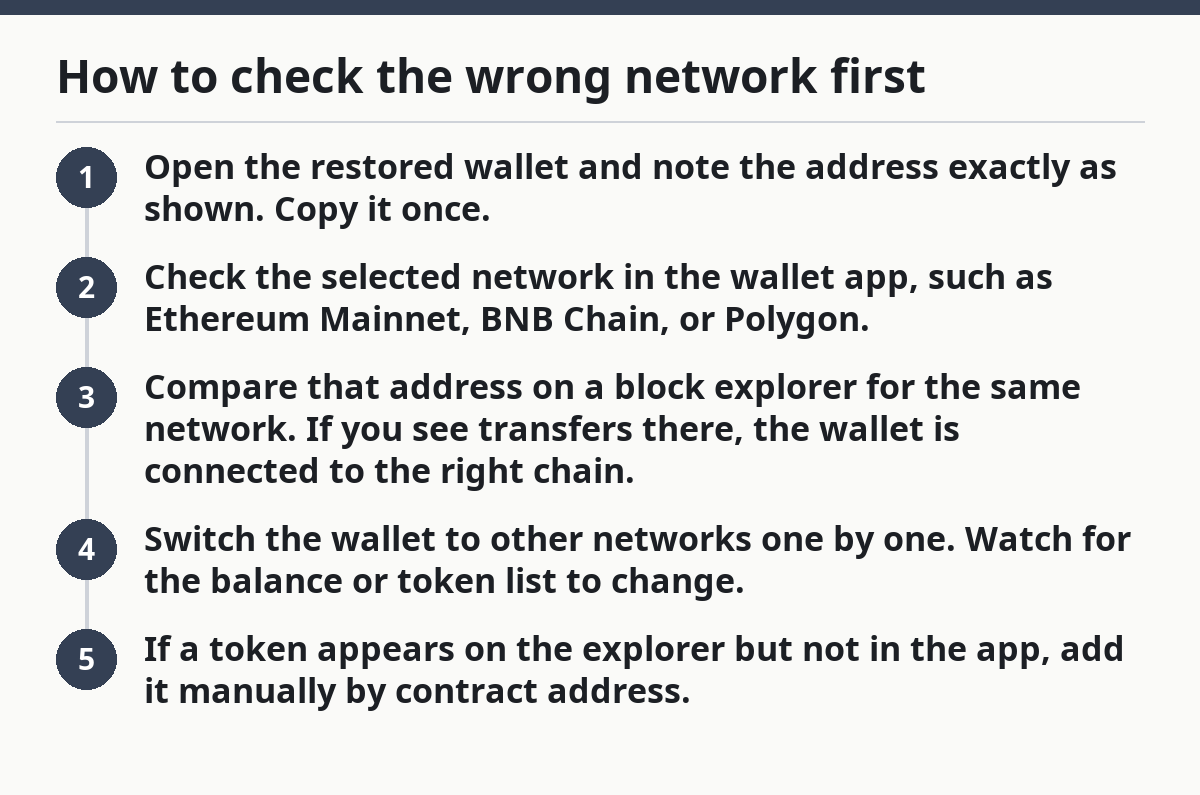
Use this quick check:
- Open the restored wallet and note the address exactly as shown. Copy it once.
- Check the selected network in the wallet app, such as Ethereum Mainnet, BNB Chain, or Polygon.
- Compare that address on a block explorer for the same network. If you see transfers there, the wallet is connected to the right chain.
- Switch the wallet to other networks one by one. Watch for the balance or token list to change.
- If a token appears on the explorer but not in the app, add it manually by contract address.
Many people stop at step 2 and miss the rest. That costs time, not money, but it keeps the panic going.
What to do if the chain is wrong
- Check the network name in the top bar of the app.
- Look for the asset on the correct chain explorer.
- Add the chain back if the wallet lets you manage networks.
- Do not assume “zero” means “lost” until you have checked at least 2 networks tied to the asset.
This is the first place I’d look because it is fast and reversible. It is also where many “my wallet is empty” complaints actually end.
Why the derivation path matters after restore
The derivation path matters because the same seed phrase can produce different account addresses depending on the path the wallet uses. If the restored app picks a different path, it may open a valid wallet — just not the one that held your funds.
Why does a restored wallet show zero balance after a seed restore? Because the app can create account #1 while your funds were sent to account #3 or another derived address. The seed phrase is not wrong. The app is looking at the wrong branch.
The truth is, wallets do not all generate addresses the same way. They may use different standards and account paths, and that can split your funds across addresses you never see on first launch.
Common signs of a derivation path mismatch:
- The restored wallet address is valid, but it is not the old one.
- The first account shows zero, yet another account on the same seed has history.
- A wallet imported from one app looks empty in a different app, even with the same seed phrase.
- Funds show up when you switch account index or path format.
If the wallet offers advanced recovery settings, look for derivation path or account type options. Some wallets let you scan more than one path, such as legacy and newer formats, which can reveal a hidden balance.
The common account path problem
- A wallet can restore the same seed phrase into multiple account slots.
- One slot may use a different path format from the original app.
- A mismatch here often shows a clean wallet with 0 visible funds.
- The fix is usually to search the next account or path, not to create a new wallet.
Not all wallets expose this setting plainly. That makes the issue annoying, but not mysterious.
Hidden tokens can make a funded wallet look empty
Hidden tokens can make a funded wallet look empty because many apps only show native coins by default. If you hold a token, stablecoin, or chain-specific asset, the balance panel may stay blank until the token is added to the wallet.
Why does a restored wallet show zero balance even when the address is correct? Because the explorer can show tokens in the account while the wallet still displays zero. That usually means the app is not tracking the token contract, not that the funds disappeared.
Here’s the catch: native coin and token are not the same thing. ETH, BNB, or MATIC may show automatically, while ERC-20 or similar tokens often need manual import.
What to check:
- Open the asset list, not just the main balance.
- Look for a button such as “Add token” or “Import asset.”
- Enter the token contract address from a trusted block explorer.
- Confirm the token decimal and symbol match the chain you are using.
If the token is on the correct chain but not added in the app, a zero screen can be pure display failure. That is especially common after a restore on a fresh device, where token lists do not sync cleanly.
Signs the funds are hidden, not missing
- The explorer shows token transfers for your address.
- The wallet shows the correct address but no token row.
- A different wallet app reads the same address and shows the asset.
- The balance appears after you import the contract manually.
This is one of the few cases where the wallet is telling a partial truth. The account may be funded, but the app is not displaying the right asset.
How to compare the restored address with the old one
The restored address must match the old funded address exactly, or the balance check is meaningless. This is the most reliable way to separate a display issue from an address mismatch.
Why does a restored wallet show zero balance after comparing accounts? Because the restored address is sometimes different from the one that originally received the funds. You may still have an old transaction record, a QR code, or a copied address from before the restore. Compare it with the new one line by line. If one character differs, the wallet is looking at a different destination.
Use this process to compare:
- Open the restored wallet and copy the full address.
- Find the address that originally received the funds from an old transaction, exchange withdrawal record, or saved note.
- Compare both addresses character by character.
- Check the same blockchain network on the explorer.
- If the addresses differ, look for another account in the same wallet or a different derivation path.
A single wrong character means a different address. A different address means a different balance. Copy-and-paste is safer than eyeballing every time.
What the mismatch usually means
- Same seed phrase, different account number.
- Same app, different derivation path.
- Same address format, wrong network.
- Same wallet, but the asset lives in a token contract you have not added.
If you can match the address and network and still see zero, the next step is usually to search other derived accounts. If you cannot match the address at all, the restore likely opened a different account set than the one that held the funds.
The fastest troubleshooting order that usually works
The fastest order is network first, then address, then derivation path, then hidden tokens. This sequence usually saves time because it starts with the easiest mismatch and moves toward the more technical ones.
Why does a restored wallet show zero balance after a quick check? Because the visible settings can hide the answer, and the next step is often deeper than the first screen. Start with the visible settings, then move deeper only if the balance still reads zero.
Use this order:
- Check the selected network.
- Confirm the restored address matches the old funded address.
- Switch accounts inside the wallet if it offers more than one.
- Review the derivation path or account type.
- Add any missing token by contract address.
This order removes a whole class of mistakes at each step. It also keeps you from reinstalling the app over and over, which does nothing if the wallet is reading the wrong path.
If you still see zero after those checks, the problem is usually one of these:
- You restored the wrong seed phrase.
- The original funds were sent to a different wallet address.
- The asset is on a chain or token standard the app does not support well.
The main point is that most “zero balance after restore” cases are not loss cases. They are lookup cases. The money is there, but the wallet is not looking in the right place.
Where to verify before you panic
You can verify the balance on a block explorer tied to the correct blockchain network. That gives you a source outside the wallet app and tells you whether the address still holds funds.
Why does a restored wallet show zero balance in one app but not on-chain? Because the explorer can show the balance history while the wallet hides or misses the asset. The split is the clue. One tool is missing the asset; the chain is not.
Two helpful source types are the official wallet help docs and the explorer pages for your chain. The docs tell you how that wallet handles account paths; the explorer shows what the address actually holds.
Useful references:
- Ethereum support and wallet documentation from the wallet you use
- Chain explorers such as Etherscan, BscScan, or Polygonscan for address checks
- Wallet help pages that explain custom networks and token imports
Use the explorer address view, not a general homepage search. The goal is to see the exact balance tied to the address, not to browse market data.
If the explorer shows no funds either, the issue is not just display. If the explorer shows funds and the wallet does not, the issue is often network, path, or token visibility.
FAQ
Is my crypto gone if it does not show after restore?
No, not by default. A restored wallet that shows zero often means the app is looking at the wrong address, network, or derivation path. Check the same wallet address on the correct blockchain explorer before assuming the funds are missing.
How do I find the right network after restoring?
Start with the chain where the asset was originally sent. Then switch the wallet network one by one and compare the same address on each explorer. If the token appears on one chain and not another, the network setting was the problem.
What is a derivation path?
A derivation path is the rule a wallet uses to generate addresses from a seed phrase. Different paths can create different valid addresses from the same phrase, which is why one wallet can open to a zero balance while another account from the same seed holds the funds.
Drafted with AI; not yet reviewed by a person.