Last updated: November 20, 2026
Quick Answer: on most platforms, you can find deposit and withdrawal limits in 3 places — account settings, the wallet or funding page, and the withdrawal form. In this guide to How to Find the Deposit and Withdrawal Limits on a Crypto Exchange, check account tier, verification level, daily limits, and separate fiat versus crypto caps; if the exchange shows different numbers in different places, the most restrictive one usually controls what you can move.
This guide is for someone who already has access to a crypto exchange account and wants to find the limits before moving money. It assumes the exchange has an account area, a wallet area, and some form of verification level or account tier. This is information, not financial advice; limits and rules differ by country and change often, so a qualified adviser or the exchange’s support team should handle your own situation.
Key takeaways
- Limits are usually split by account tier, verification level, and asset type.
- Fiat limits and crypto limits are often not the same number.
- Daily limits can reset on a rolling 24-hour basis, not at midnight.
- If the exchange shows more than one limit, the smallest one is the one that matters.
- A limit change after verification is common, but it is not automatic on every exchange.
How do I find the limit on my exchange?
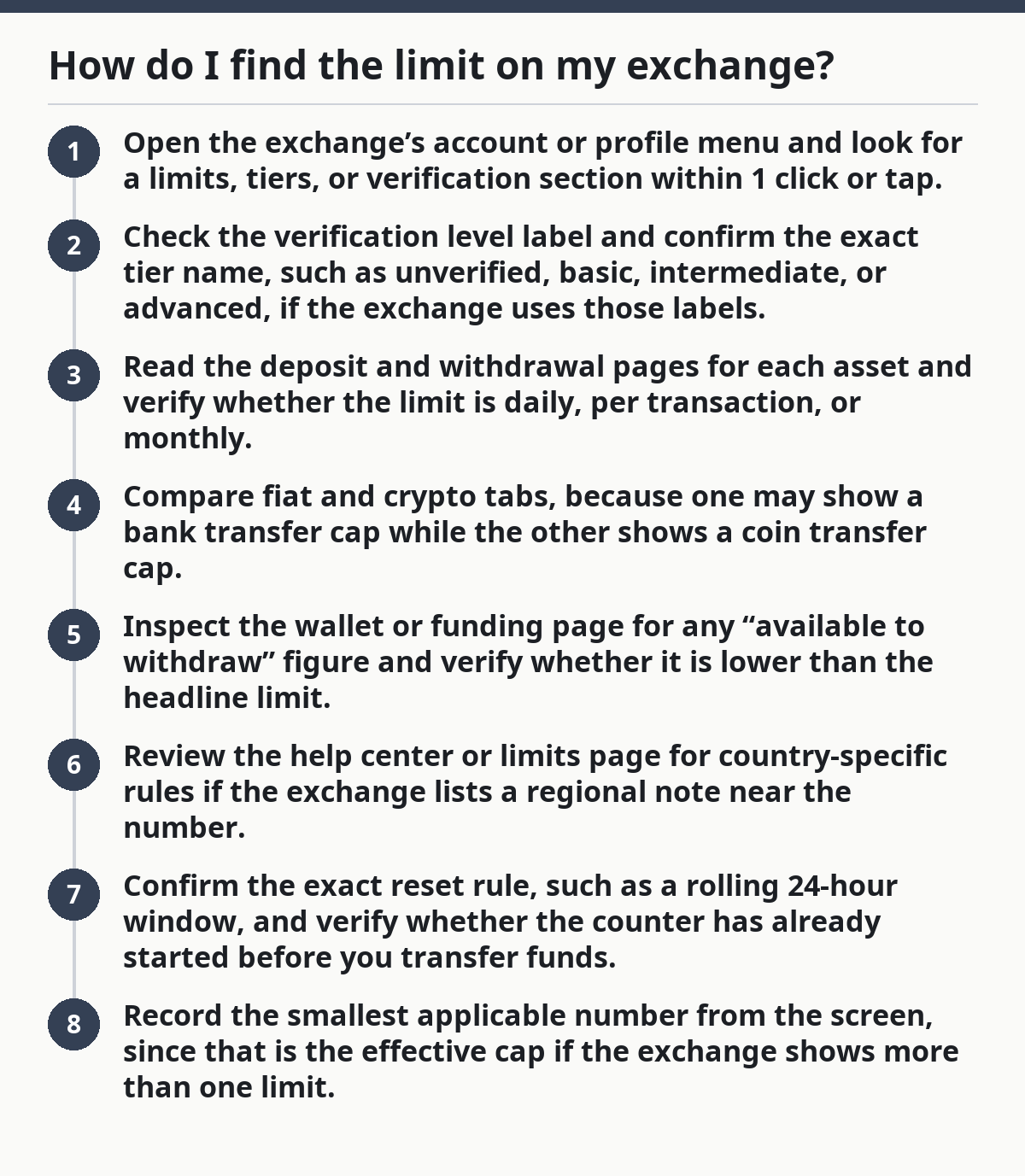
You usually find the limit by checking the account settings, the deposit or withdrawal page, and any verification page that shows your tier. A practical way to start is to compare the limit shown beside each asset with the account-wide limit in settings, because those two screens often disagree on first glance.
- Open the exchange’s account or profile menu and look for a limits, tiers, or verification section within 1 click or tap.
- Check the verification level label and confirm the exact tier name, such as unverified, basic, intermediate, or advanced, if the exchange uses those labels.
- Read the deposit and withdrawal pages for each asset and verify whether the limit is daily, per transaction, or monthly.
- Compare fiat and crypto tabs, because one may show a bank transfer cap while the other shows a coin transfer cap.
- Inspect the wallet or funding page for any “available to withdraw” figure and verify whether it is lower than the headline limit.
- Review the help center or limits page for country-specific rules if the exchange lists a regional note near the number.
- Confirm the exact reset rule, such as a rolling 24-hour window, and verify whether the counter has already started before you transfer funds.
- Record the smallest applicable number from the screen, since that is the effective cap if the exchange shows more than one limit.
If the exchange does not show a number beside the asset, that is a problem, not a blank you can guess around. It usually means the limit is hidden behind verification, a regional rule, or a pending compliance check.
Where do exchange limits usually appear?
Exchange limits usually appear in four places: account settings, the funding or wallet page, the withdrawal form, and the help center. The trick is that each page can show a different part of the same rule, so a single screen rarely gives the full answer.
The account settings page normally shows the tier or verification level, which is the number-one clue because many exchanges tie limits to that level. The wallet page may show “available” amounts, which are different from a formal limit and can be reduced by holds, pending deposits, or open orders.
The withdrawal form often gives the most practical number because it reflects what the exchange will let you send right now. If that number is lower than the limit in settings, the withdrawal form is the one to trust for that transaction.
The help center or limits page is where exchanges often hide the fine print, such as whether the cap applies per 24 hours, per transaction, or per calendar month. That detail matters because a 1-day limit and a monthly limit can look similar at first glance but behave very differently. For related guidance, see the exchange’s verification page, wallet page, or withdrawal page.
What changes the number I see?
The number you see changes with account tier, verification level, asset type, payment rail, and country rules. A fiat limit for bank deposits is often separate from a crypto withdrawal limit, and the exchange may cap each one on a different schedule.
Account tier is the broad bucket the exchange uses for access levels. Verification level is the proof stage inside that tier system, and it often decides whether the exchange lets you move larger amounts or only a small starter amount.
Daily limits are another common split. Some exchanges count a rolling 24-hour window, while others use a reset tied to a calendar day or a monthly cycle. If the exchange does not say which one it uses, do not assume midnight applies.
The asset itself matters too. Bitcoin, stablecoins, and bank transfers can sit under different rules even in the same account. A fiat limit can be $0.00 available while a crypto limit is still open, or the reverse can happen if the exchange has a hold on your bank transfer. If you are comparing balances, check the exchange’s deposit history and fees page as well.
When should I stop and check support?
You should stop and check support when the limit looks wrong, the exchange gives two conflicting numbers, or the withdrawal form blocks the transfer without explanation. In money matters, guessing at a limit can mean a failed transfer, an extra delay, or a compliance review that takes longer than the move itself.
The withdrawal page shows no cap but the settings page shows one: that means the exchange is not presenting a single live figure — use the withdrawal page as the immediate rule and ask support to reconcile the mismatch.
The limit changes after you switch assets: that means the cap is asset-specific — do not apply the number from one coin or token to another.
Your account is partially verified: that means you may be in an in-between tier — wait for the account status to finish updating before planning a large transfer.
The exchange shows a daily limit but no reset method: that means the timing rule is unclear — ask whether the cap resets on a rolling 24-hour basis or on a calendar schedule.
Your country is not listed on the limits page: that means regional rules may apply — check the exchange’s regional help page before moving funds.
The bank transfer cap and crypto cap do not match: that means fiat and crypto are often governed separately — check the exchange’s help page or support article before treating one as a substitute for the other.
If the exchange support article does not answer the question in plain numbers, the page is not complete enough for a transfer decision. At that point, pause until the cap is clear, or ask support to confirm it in writing.
What are the mistakes people make?
The most common mistake is reading the headline number and ignoring the smaller one on the withdrawal form. That can lead to a transfer being rejected because the effective cap is lower than the account-wide cap.
Another mistake is mixing up fiat limits and crypto limits. A bank deposit cap is not the same thing as a coin withdrawal cap, and using the wrong one can produce a failed transfer or a partial transfer that leaves money split across balances.
People also miss the reset rule. A daily limit that resets on a rolling 24-hour window can leave an account blocked even after the calendar date changes, which is frustrating when the transfer is time-sensitive.
A fourth error is assuming verification level is finished before the exchange has fully updated the account. If the screen still shows the old tier, the higher limit may not be active yet, even if the identity check was submitted 10 minutes earlier.
A fifth mistake is reading the number without checking whether it is per transaction or per day. A 1-time cap can look generous until the exchange refuses a second transfer 2 hours later.
The correct alternative is to compare three things before acting: the account tier, the asset type, and the reset rule. Those three items tell you more than a single large number ever will.
When do fiat and crypto limits differ?
Fiat and crypto limits differ whenever the exchange treats bank money and blockchain transfers as separate systems. That separation is normal, and it is why the same account can have one limit for card or bank funding and a different limit for coin withdrawals.
Fiat limits usually apply to deposits from a bank account, card, or local payment method. Crypto limits usually apply to on-chain transfers or internal exchange transfers, and the exchange may display them in a wallet or withdrawal panel rather than in the payments page.
A practical way to read the numbers is to treat each asset class as its own lane. If the exchange shows a fiat daily cap, that number does not automatically control a BTC withdrawal or a stablecoin transfer.
The same split can appear by jurisdiction. One country may get one set of deposit rules and another country may get different ones, even on the same exchange interface. That is why a limit page should be read with the country selector, if the exchange has one, already set correctly.
How do I know I found the right number?
You know you found the right number when the account tier, the asset page, and the withdrawal form all point to the same cap or to one smaller cap that clearly overrides the others. The right number is the one the exchange will actually enforce, not the one that looks best in the summary.
If the number has a label, keep the label attached to it. “Daily,” “per transaction,” “monthly,” and “rolling 24 hours” are not interchangeable, and the wrong label changes the meaning of the figure completely.
If the exchange shows both “available balance” and “withdrawal limit,” use the limit as the rule and the available balance as the wallet reality. One tells you what the exchange allows; the other tells you what is currently free to move.
A limit page that only gives a range, such as “low,” “medium,” or “high,” is not enough for planning a transfer. In that case, the support article or withdrawal screen needs to provide the exact number before you act.
FAQ
Why does my exchange have limits?
Limits exist because exchanges separate access by risk checks, account tier, and transaction type. The exchange may need to control fraud, comply with local rules, or make sure the account details are complete before larger transfers are allowed. The exact reason depends on the exchange and country, so the support page for your own account is the place to verify it.
Can limits change after verification?
Yes, limits can change after verification, but the change is not always instant. Some exchanges update the tier right away, while others take time to refresh the account screen. If the new cap does not appear after the status changes, wait for the platform to update or check support for a pending review.
Where do I find my account tier limits?
Account tier limits are usually in profile, settings, or verification pages. Look for a line that names the tier and the matching deposit or withdrawal cap beside it. If the exchange uses country-specific limits, make sure the region selector and asset type are set before you trust the number.
Can I use the deposit limit as my withdrawal limit?
Not always. Some exchanges set separate deposit and withdrawal caps, so the number for one action may not apply to the other. Check the exact label on the page before you move funds.
What if the limit page shows no exact number?
If no exact number appears, use the withdrawal form and help center first. If the cap still is not clear, contact support and ask for the live limit in plain numbers before starting the transfer.
Drafted with AI; not yet reviewed by a person.