Last updated: November 19, 2026
Key Takeaways
- A withdrawal whitelist saves approved destinations so exchanges send funds only to preselected addresses.
- Labels differ, but the setup flow is usually similar.
- Accuracy matters more than speed when saving the first address.
- Wrong network or approval errors usually cause delays, not exchange-side loss.
A withdrawal whitelist on a crypto exchange keeps payouts limited to approved addresses, and How to Set Up Withdrawal Whitelists on a Crypto Exchange usually starts in account security settings after you’ve verified your login and email access. In a typical setup, the exchange holds withdrawals for 24 hours or more before a new address becomes active. The steps below settle what to check, how to add an approved address, and where the cooldown period can slow you down.
What a withdrawal whitelist does, and who should use it
A withdrawal whitelist lets you approve specific destination addresses so the exchange will only send coins to places you’ve already saved. That means if someone gets into your account, they still can’t send funds to a new address without getting past the exchange’s protection rules.
This page applies to people who already have an exchange account, can sign in, and can still access the email or app used for approval codes. It also assumes the exchange offers an address book or approved-address feature. If your exchange doesn’t support it, this exact method won’t work. The right next step is to use the platform’s own security tools and compare other exchanges through the hub on Crypto exchanges and trading platforms.
This is information, not financial advice. Rules, limits, and security controls differ by country and by exchange, and they change. If your situation involves shared accounts, business treasury controls, inheritance planning, or any regulated money movement, a qualified adviser should review it for your own case.
Picture this: you’re locking down an account before adding more funds, and you want one simple rule that blocks unknown payout addresses. The goal is approved-address control, not guesswork. Here’s the catch: a whitelist helps with withdrawal safety, but it can slow you down if you later need a fresh address fast.
- Whitelist = only approved withdrawal destinations.
- Approved address = an address saved in the exchange’s address book.
- Cooldown period = a delay before a new address can be used.
- Withdrawal approval = a second check before a transfer leaves the account.
How do you set up a withdrawal whitelist on a crypto exchange?
You set it up in the exchange’s security or withdrawal settings by adding one approved address at a time, confirming ownership, and waiting out any cooldown period before the address becomes active. The exact labels vary, but the flow is usually the same.
Picture this: you’re inside the exchange menu and trying not to miss one checkbox that decides whether the feature actually protects you. The process usually takes a few minutes, but the waiting period can be much longer. On some platforms the cooldown lasts 24 hours, on others longer or shorter, so check the platform’s own screen before you move funds.
- Open the exchange security menu and find the section for withdrawal whitelist, address book, or approved addresses; verify that the page mentions withdrawal controls, not just login settings, and stop if you only see password options.
- Select the asset network you plan to use, such as Bitcoin or an ERC-20 token network; verify the network matches the destination address exactly, and stop if the address format does not fit that network.
- Paste the destination address into the approved-address field; verify every character with copy-and-paste plus a second visual check, and stop if the platform shortens or masks the string in a way you can’t confirm.
- Label the address with a clear name, such as exchange name or payment purpose; verify the label helps you recognize it later, and stop if the exchange allows only vague labels that could be confused with another entry.
- Confirm the approval method the exchange requires, such as email code, authenticator app, or hardware security key; verify that the method is one you still control, and stop if you cannot complete the approval step.
- Review the whitelist rules for new-address delays or withdrawal approval holds; verify the cooldown period before you expect the address to work, and stop if the exchange shows an error about pending security changes.
- Save the approved address and wait for the platform’s activation notice; verify the status changes from pending to active, and stop if the entry stays stuck in pending after the stated delay.
- Test with a small transfer only if the exchange allows it and the asset has low transfer friction; verify the destination and network on the confirmation screen, and stop if the send form offers a different address than the one you whitelisted.
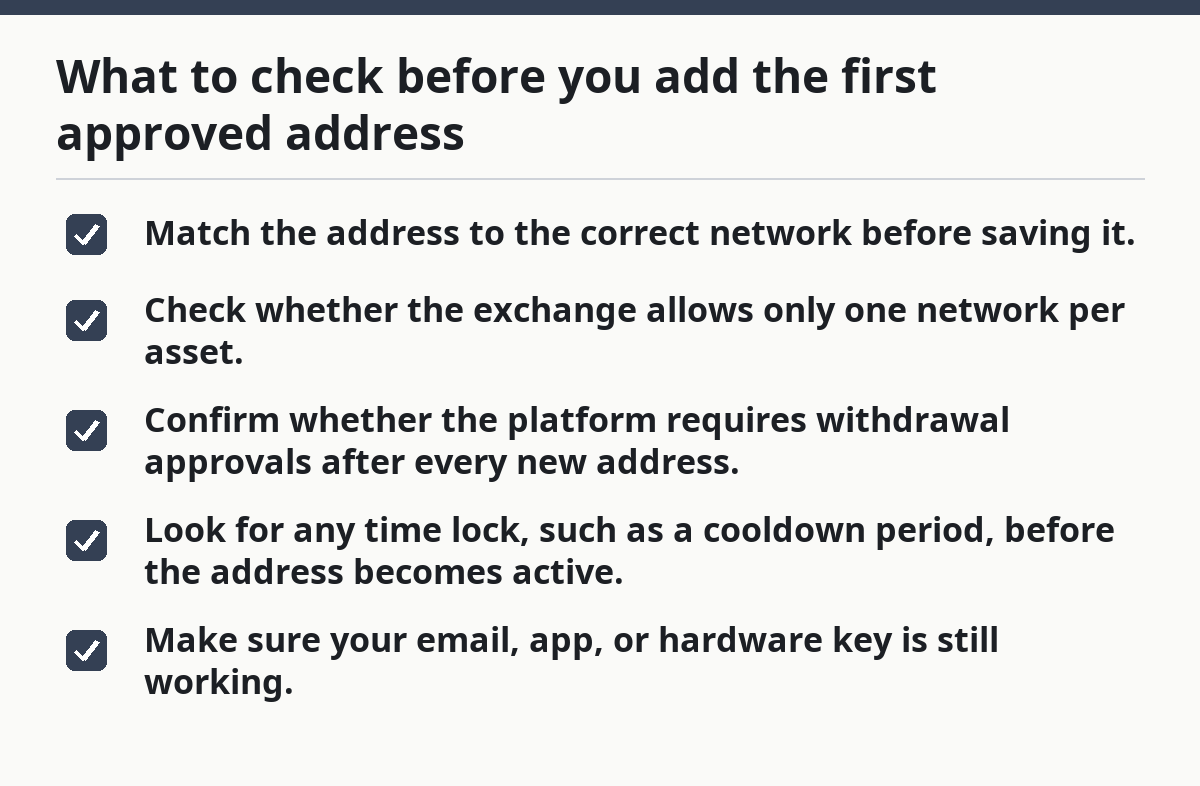
What to check before you add the first approved address
A whitelist is only as good as the address you put in it, so the first check is not speed — it’s accuracy. One wrong network or one copied address from the wrong chain can make the approval useless, and if you are unsure, consult the exchange’s support pages or a qualified professional before saving it.
Picture this: you’re about to save an address that will sit in your account for months, maybe longer, and you want to avoid a cleanup later. A short verification habit beats a long recovery process. Check the source address in two places before you save it, and if the exchange supports withdrawals only after a 24-hour delay or similar hold, build that into your timing.
- Match the address to the correct network before saving it.
- Check whether the exchange allows only one network per asset.
- Confirm whether the platform requires withdrawal approvals after every new address.
- Look for any time lock, such as a cooldown period, before the address becomes active.
- Make sure your email, app, or hardware key is still working.
The truth is, some exchanges hide whitelisting under different labels. One calls it an address book, another says approved addresses, another groups it under withdrawal security. If you can’t find the feature in under 3 minutes, search the help center for the platform’s own wording rather than guessing. According to Coinbase, withdrawal and security settings can vary by product and region, so the platform’s own help pages are the safest reference.
What can go wrong with approved addresses?
Approved addresses can still fail if the network, label, or approval step is wrong, and the cost is usually delay rather than a lost transfer on the exchange side. The feature blocks a lot of account-takeover risk, but it does not fix a bad address, a bad chain, or a rushed confirmation.
Picture this: you’ve added the right address, but the exchange still won’t let you withdraw. That usually means a control is still active. On the flip side, if the platform allows instant use of a newly added address with no delay, you should look hard at whether another setting is still missing.
- Wrong network selected: the address may be valid on one chain and invalid on another — recheck the chain before saving.
- Pending cooldown period: the address is stored but not active yet — wait for the platform’s stated delay.
- Missing withdrawal approval: the exchange may require a second confirmation — complete the code or security key step.
- Changed security settings: the platform may freeze withdrawals after account changes — review the security notice and waiting period.
- Copied address error: one wrong character can send funds to the wrong place — compare the full string character by character.
A common mistake is adding an address and assuming it protects every asset. It usually does not. Whitelisting often works per asset or per network, so a Bitcoin withdrawal whitelist may not cover an Ethereum token address. That difference matters, and it is one of the most common places people get tripped up.
When should you stop and use a different approach?
You should stop if the exchange account is under active attack, if you can’t verify the address, or if the platform has placed a hold that blocks changes. In those cases, the whitelist is the wrong tool until the account state is stable.
Because of that, you should pause if the account keeps asking for checks you can’t complete. That isn’t a setup problem you should force through. It usually means the platform is asking for proof you do not currently have, or it is protecting the account after a security event.
Your email account is not secure: if someone can read approval messages, the whitelist can be bypassed through mailbox access — fix that access path first, because account approvals often flow through email; consult the exchange’s security help pages or a qualified professional if you are unsure.
You cannot confirm the destination address from a trusted source: if the address came from chat, a screenshot, or a copy-paste chain you don’t trust, the whitelist may lock in the wrong destination — pause and verify by another channel.
The exchange shows a withdrawal freeze: if withdrawals are disabled after password or security changes, the whitelist will not speed that up — wait for the platform’s own hold to clear.
Your account uses shared control: if multiple people manage the same account without a formal process, a whitelist can create confusion about who approved what — use a documented approval flow instead.
The platform does not support approved addresses: if there is no whitelist feature at all, forcing a workaround is a bad idea — use the exchange’s supported security tools only.
The mistakes people make with withdrawal whitelists
The biggest mistakes are boring ones: wrong chain, wrong address, wrong timing, and wrong assumptions about what the whitelist actually blocks. None of them are rare, and all of them are preventable with a slow first setup.
Picture this: you’re one click from saving an address, and the screen looks simple enough to trust. That’s when people rush. A whitelist is a security layer, not a memory aid.
- Treating the whitelist as account recovery: it is not a rescue tool if you’ve already lost access — use the exchange’s account recovery process instead; if the account is already compromised, consult the platform’s support team.
- Skipping the cooldown check: you may think the address is active when it is still pending — verify the active status before any withdrawal.
- Saving only one address and forgetting the backup path: if you later need a different destination, you may be blocked — plan for the exact use case before you save the first entry.
- Using vague labels: names like “main” or “saved” are easy to mix up — use labels tied to the real destination.
- Ignoring network differences: a single token can live on more than one chain — the wrong chain can break the transfer.
- Assuming all exchanges work the same way: some require email approval, some use authenticator apps, and some add a 2-step withdrawal check — read the platform’s own screen every time.
The right alternative, when the process feels unclear, is to stop and use the exchange’s help center or support flow before you save anything. That beats rushing into a setting you do not fully understand.
How long does the setup take, and what should the result look like?
The setup itself usually takes only a few minutes, but the full result includes the activation delay, which can be immediate or delayed by the exchange’s security rules. A good result is simple: the approved address is saved, labeled, active, and the exchange blocks withdrawals to anything else.
Picture this: you’ve finished the forms, and now you want proof that the protection is actually on. Look for the active status, the approved-address label, and any note about withdrawal approvals or a cooldown period. If the platform still shows “pending,” the setup is not done yet.
A good end state usually has these signs:
- The address is visible in the address book.
- The status shows active, approved, or enabled.
- The exchange asks for a second approval on new withdrawals.
- Any unapproved address is rejected at the withdrawal screen.
- The platform shows the correct network for that entry.
If the exchange lets you skip the approval step, or if an unlisted address still appears as a valid destination, the whitelist is not functioning as intended. That means you need to revisit the security settings before you trust it with real funds.
How to keep the whitelist useful over time
A whitelist is not a one-time fix; it needs a quick check whenever your destination changes or the exchange changes its security rules. That matters because some platforms reset or delay withdrawals after major account changes, and others make you re-approve entries after a policy update.
Picture this: months pass, the address stays the same, and the exchange rolls out a new security screen with a new label. You don’t need a new habit, just a short review. Check the approved addresses every time you log in after a long gap, and check the platform’s notice if a withdrawal is suddenly blocked.
Use this kind of review after:
- A device change.
- A new email address.
- A new authenticator app.
- A platform security update.
- A long period of account inactivity.
That small review keeps the whitelist from turning into a dead list of outdated entries.
What is a withdrawal whitelist?
A withdrawal whitelist is a list of approved destination addresses on a crypto exchange. It lets the platform block withdrawals to any address that has not been added and confirmed through the exchange’s security process.
That protection can lower the chance of a mistaken or unauthorized withdrawal, but it does not remove the need to verify the address and network. The exchange may call it an address book or approved addresses instead.
Can I remove an approved address later?
Yes, most exchanges let you remove an approved address later, but the change may trigger a cooldown period or withdrawal hold. That delay can vary by platform and by region, so check the exchange’s own notice before you expect instant changes.
If you remove an address, confirm whether the exchange keeps it disabled or deletes it entirely. The difference affects how easy it is to restore the entry later.
Does every exchange offer this feature?
No, not every exchange offers a withdrawal whitelist. Some provide an address book with extra approval steps, while others rely on different withdrawal protections.
If the feature is missing, look for the platform’s own withdrawal approval controls, account security tools, and help center terms. The exact design varies, so the exchange’s support pages are usually the most reliable source for that account.
Drafted with AI; not yet reviewed by a person.