Last updated: November 19, 2026
Quick Answer: Change your crypto exchange password in 3 steps: use the exchange’s own security page, confirm the reset through email or 2FA, and then turn on withdrawal and login protections. Your crypto exchange password is usually the first lock on the account, and changing it is often the fastest fix after a login scare. Use the exchange’s password reset flow, then turn on the security settings that protect withdrawals and logins. The steps below show exactly what to change, what to verify, and where people usually go wrong.
Key takeaways
- Change the password through the exchange’s own account security page, not through a random link in email or chat.
- Turn on two-factor authentication, login alerts, and a withdrawal whitelist if the exchange offers them.
- Check your active devices and recent logins after the change.
- If you see unknown withdrawals, a locked account, or a reset message you did not trigger, stop and use the exchange’s support path right away.
- If your setup has tax, custody, or legal complications, speak with a qualified adviser about your own situation.
Who this applies to, and what it assumes
This applies to anyone who can still sign in to a crypto exchange and wants to change the password or tighten crypto exchange account security settings. It assumes you know your current email address, can access your inbox or authenticator app, and can find the account menu on the exchange’s website or app. It does not require you to know the trading side of the platform.
You’re looking at a settings screen with a password field, a 2FA switch, and a device list. Under 10 minutes is realistic; a wrong click is not. That is the trade-off.
Already seeing withdrawals you didn’t make, or an identity check that isn’t finished? Don’t improvise. Use the exchange’s support flow first; the exact path changes from platform to platform, and qualified advice can help when money movement is involved.
Helpful reference points:
- NIST’s password guidance: NIST SP 800-63B
- CISA’s account security advice: Cybersecurity and Infrastructure Security Agency
What to check before you start
You can change the password in a few minutes, but only if the recovery tools still work. Before touching anything, open the email tied to the account. Also make sure your phone still has the authenticator app, if that is how your 2FA is set up.
A reset can go sideways fast. One old phone number, and the whole thing becomes a support ticket. Check the recovery path first.
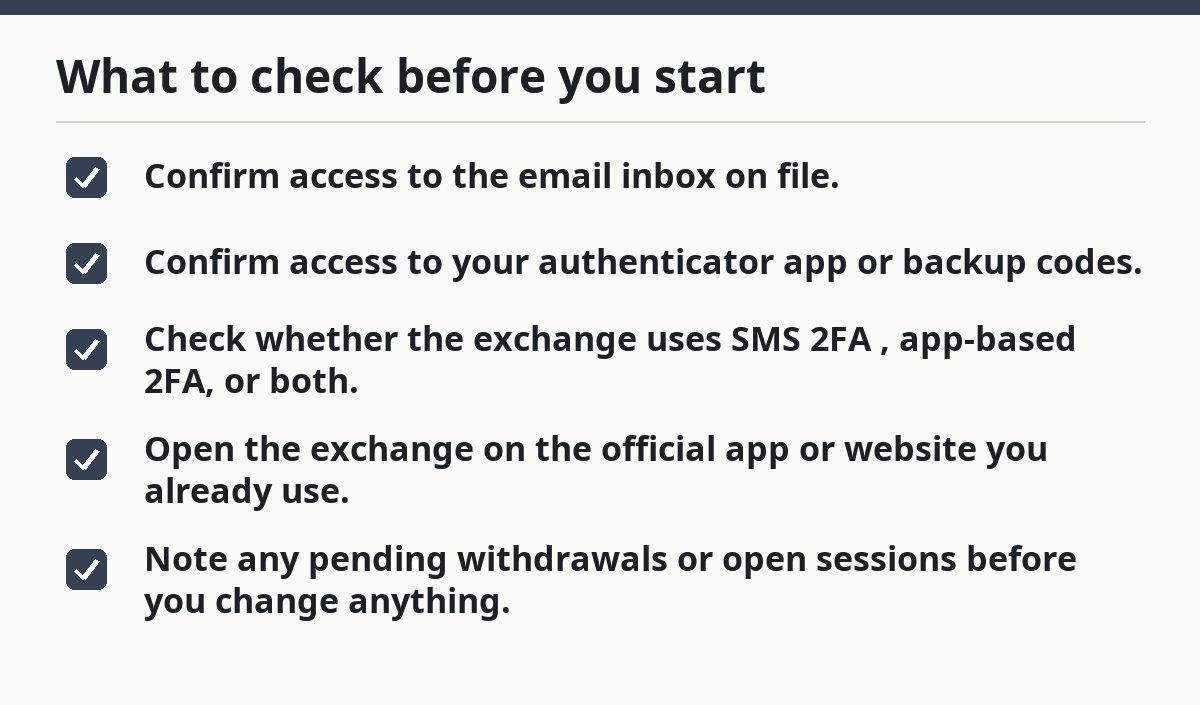
- Confirm access to the email inbox on file.
- Confirm access to your authenticator app or backup codes.
- Check whether the exchange uses SMS 2FA, app-based 2FA, or both.
- Open the exchange on the official app or website you already use.
- Note any pending withdrawals or open sessions before you change anything.
Missing even one of those pieces? Pause. A password change without working recovery can lock you out of your own account, and that is a mess you do not need.
How do I change my crypto exchange password?
Change it from the exchange’s security or profile menu, then confirm the new password works and the old one no longer does. Labels vary, but the flow usually does not: sign in, open security settings, choose password change or reset, confirm through email or 2FA, and log back in with the new password.
Already signed in? Good. Look for Security, Account, or Password. The goal is plain: replace the old password with one you have never used on that exchange, then make sure the account now wants the new one.
- Open the exchange’s Security or Account settings menu and find the password option; verify the page shows the exchange domain or official app name, and stop if it sends you to a look-alike site.
- Select Change password or Reset password; verify whether the exchange wants your current password, an email code, or a 2FA code, because the next step depends on that setup.
- Enter your current password if the exchange asks for it; verify the field accepts the entry and does not trigger a lockout warning, because repeated wrong tries can freeze access on some platforms.
- Create a new password that is unique to the exchange and long enough to resist guessing; verify the page accepts it without a strength warning, and avoid reusing a password from email, banking, or social media.
- Confirm the new password in the second field, if there is one; verify both entries match exactly, because one misplaced character can make the reset fail.
- Approve any email, SMS, or authenticator prompt the exchange sends; verify the message refers to the password change, not a withdrawal or profile edit, because a mismatched prompt is a red flag.
- Sign out of the exchange and sign back in with the new password; verify the old password no longer works, and stop if any device still stays signed in after the change.
- Record the new password in your password manager or other secure storage; verify you can retrieve it later, and if you are unsure about your storage setup, consult a qualified security professional, because a password you cannot find is almost as bad as a weak one.
After that, the old password should fail everywhere the exchange uses it for login. If it still works on one device after a full sign-out, that points to a session-control problem, not a password problem.
What security settings should I turn on first?
Turn on two-factor authentication, login alerts, and a withdrawal whitelist first. Those settings add barriers where account theft does the most damage. Passwords get guessed, reused, or phished; a second factor, an alert, and a withdrawal rule make the account harder to drain.
Here’s the ugly part: even a fresh password can be undercut if a thief still has the old one from a data leak. A familiar device, a saved session, or a loose withdrawal setting can keep the door cracked open.
- Turn on 2FA with an authenticator app if the exchange offers it.
- Turn on login alerts for new devices, new IP addresses, or strange sign-ins.
- Add a withdrawal whitelist so funds can go only to approved addresses.
- Review whether the exchange allows a security delay after changing withdrawal settings.
- Save backup codes in a place you can reach without the exchange app.
If the exchange only offers SMS 2FA, treat that as weaker than app-based 2FA, and if you are unsure what is appropriate for your setup, consult a qualified security professional. It can still help, but a phone number can be swapped or intercepted. On some platforms, withdrawal whitelists also need a waiting period before new addresses become active; that delay is there to catch account takeovers.
For account hardening basics, CISA’s guidance on multi-factor authentication is a good public reference, and the U.S. Federal Trade Commission’s identity theft pages also explain why account alerts matter.
How do I set up 2FA, login alerts, and a withdrawal whitelist?
Set them up in the exchange’s security menu, one at a time, and check each change before moving on. Order matters here; lock yourself out of 2FA setup halfway through, and recovery steps you never planned for may appear.
The security page usually shows three switches and one address book. Strong controls first, yes. But the account still has to work. So put them in a clean order and verify every prompt.
- Open the 2FA section and choose an authenticator app if available; verify the QR code scans and the six-digit code refreshes every 30 seconds or so.
- Save the backup codes in a separate secure place; verify you can access them without the exchange app, and if you are uncertain about the storage method, consult a qualified security professional, because they are your last-resort entry key.
- Enable login alerts for email or app push notifications; verify you receive a test alert for a new sign-in or device, if the exchange offers one.
- Review the device management page and remove any device you do not recognise; verify the list now shows only the phone, tablet, or browser you still use.
- Open the withdrawal whitelist or address book and add only addresses you control; verify each address is exact, because one wrong character can send funds to the wrong place.
- Check whether the exchange requires a 24-hour, 48-hour, or similar delay before whitelist changes take effect; verify the timer starts, because an instant change can be too easy to abuse.
- Test the setup by signing out and back in; verify the password, 2FA code, and alert all work together, and stop if one step fails.
If the exchange gives you both SMS and app-based 2FA, use the app as the main method and keep SMS as a backup only if the platform requires it. The app is harder to intercept than a text message.
The mistakes people make, and what they cost
Changing the password and leaving the rest of the account open is the biggest slip. That is a new lock on the front door while the side door stays ajar. On a crypto exchange, password-only protection is thin.
The pattern is familiar: strong password, same old device still logged in, inbox with no alerts, withdrawals still going anywhere. Then the next odd login shows up.
- Reusing an old password: if one site leaks, the exchange can be next; use a password that is unique to the exchange.
- Skipping 2FA backup codes: if you lose your phone, you can lose access; store the codes before you need them.
- Ignoring device management: old browsers and phones can stay signed in; remove them after the password change.
- Leaving withdrawals wide open: funds can still move out if someone gets back in; turn on a whitelist where possible.
- Trusting a link from email: phishing pages copy the look of real login screens; type the exchange address yourself or use the official app.
- Not checking recent activity: a hidden session can survive the password change; review logins and sign out of all other sessions if the exchange offers it.
A password reset is only half the job. The other half is closing every active path an intruder could still use.
When the standard approach does not apply
The normal password-change flow is the wrong tool if the exchange has already blocked your account, if the email on file is no longer yours, or if you do not have the second factor needed to confirm the reset. In those cases, the menu path may not finish the job at all.
You hit a wall. The exchange wants a code from a device you no longer own, and the reset stops there. That is not a settings issue anymore; it is an account-access problem with a separate recovery path.
Your email account is compromised: a password change on the exchange can be undone if someone controls your inbox, so secure the email account first, then return to the exchange.
You lost your authenticator device: the 2FA code may be the thing proving it is really you — use backup codes or the exchange’s recovery path.
The exchange froze withdrawals or logins: that usually means the platform saw risk — follow the exchange’s support steps instead of retrying the same change.
You see unknown withdrawals: the issue is already beyond a password change — stop using the account and use the exchange’s incident process.
You cannot verify the new device: a fresh browser or phone may trigger extra checks — wait until you can complete the approval flow without forcing resets.
If your situation involves tax reporting, legal ownership, or money that needs to be moved under someone else’s authority, stop here and get qualified help for your own case. This page explains the settings; it does not decide what your money should do.
How long should this take, and what should a good result look like?
A clean password change with working 2FA usually takes only a few minutes, but the security checks after it can take longer if the exchange uses confirmation emails, device approvals, or a withdrawal delay. Timing varies by platform and by country.
You finish the change, sign back in, and the new password works. The old device is gone. Alerts are on. That is the good result. A page that saves the new password but leaves extra sessions active is not good enough.
A solid result has four signs:
- the old password no longer signs in,
- 2FA prompts appear on login,
- alerts arrive for new access,
- and withdrawals require the extra check you enabled.
If one of those is missing, go back to the security settings and fix that piece before you trade or move funds. A half-configured account is still a risky account.
What should I do if I’m locked out halfway through?
Locked out halfway through? Stop guessing and use the exchange’s recovery path right away. Repeated failed attempts can make the lockout last longer, and that usually helps nobody.
Maybe the new password works on one device but not another, or the authenticator code no longer matches. That means the account state is split, and the safest move is to use the exchange’s own recovery tools rather than random troubleshooting.
The common next steps are simple:
- check whether you signed out of the wrong browser profile,
- look for a backup code you saved earlier,
- use the exchange’s account recovery page,
- and wait out any security timer the platform applies.
If the account is tied to a business, a joint account, or an estate, use the platform’s formal support route and get qualified help for the authority issue before you try again.
Drafted with AI; not yet reviewed by a person.